Get a better experience by installing our free app!
Not now
Install
Get a better experience by installing our web app!
Hide
How to do it?
In Safari, tap on the menu bar. Scroll down the list of options, then tap Add to Home Screen.(If you don’t see Add to Home Screen, you can add it. Scroll down to the bottom of the list, tap Edit Actions, then tap Add to Home Screen.)
The 2021 992.1 did not have PCM firmware which allowed for Apple CarPlay and Android Auto. There appear to be various work-arounds to enable Android Auto, some more costly than others, but more importantly, some presenting issues with the PCM after installation.
I would appreciate any feedback from other members as to which option(s) you have employed to enable Android Auto on the older PCM firmware and also any issues you encountered (if any), and your opinion of reliability and functionality of the upgrade.
Unfortunately, I am in Phoenix at the moment, and my 911 is up in Canada hibernating for the winter, so I will be unable to access the PCM directly to determine the version, but it is likely either 4.0 or 4.1, which is what the early model 992's came with.
Innovative Soft NZ appears to have a solid glitch-free software update that other message board members have commented having good results, but I thought getting a broader perspective could be valuable.
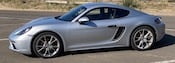
PCM 4.0 has a CD/DVD slot and is easily done DIY with a free update program and an SD card. My Cayman is a 2018 with PCM 4.0, I patched it primarily to activate the factory Navigation, but the patch also activates Android Auto.
PCM 4.1 does not have an optical drive, and a third party solution is required. Please post back and let us all know what you used.
I was able to add wireless android auto and apple car play to my 2017 Boxster with the purchase of a GTA car kit. I installed the GTA car kit myself and it works excellent. I had to remove the PCM, plug in a wiring harness, attach a small box and wireless antenna.